
MLA – International Bibliography: Modern International Language and Literature Index Database
MLA – International Bibliography: “Modern International Language and Literature Index Database” is made by Modern Language Association, and it provides journal articles, books, and the elaborated bibliography of dissertations. The source of the index included peer reviewed academical journals, doctoral thesis, monographs, published reference materials, proceedings, textbooks, teaching anthologies and more. The themes cover multilingual academic research fields, such as linguistics, literature, folkloristics, literary criticism, drama and theater arts. Most of the documents are in English, and also includes French, Spanish, Portuguese and some 60 languages. There are up to 4,400 types of journals, and the database also provides related information of them. In this article, you will be briefly guided through the basic functions of this database.
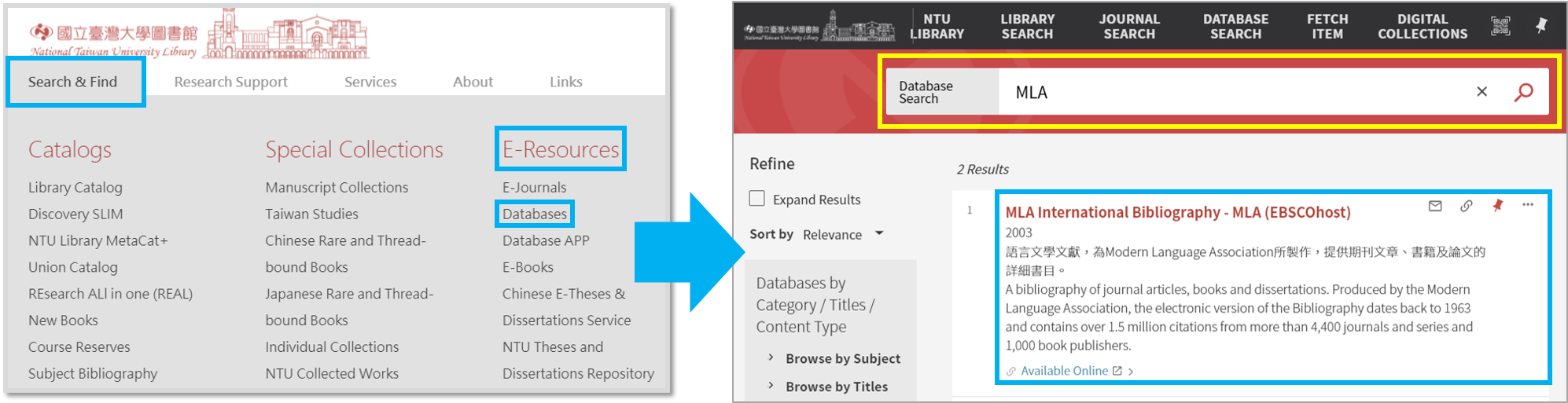
Please click “Search & Find” on the NTU Library homepage, and then click “Databases” under the E-Resources on the right side. After getting in to the database page, type “MLA” in the database search column, and choose MLA – International Bibliography.
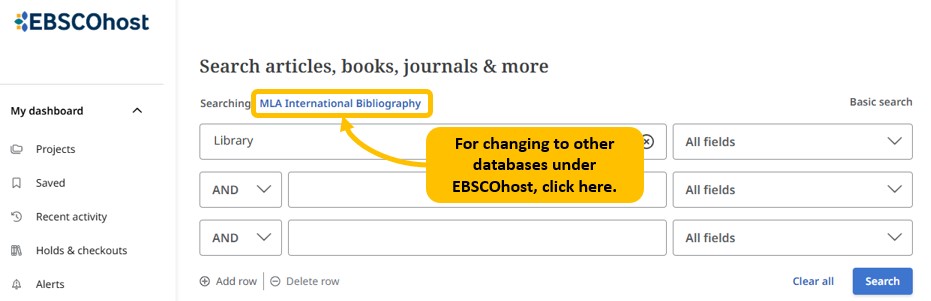
After entering MLA International Bibliography database, click the name of database if you wish to look up for further information about the database, or choose other databases under EBSCOhost platform.
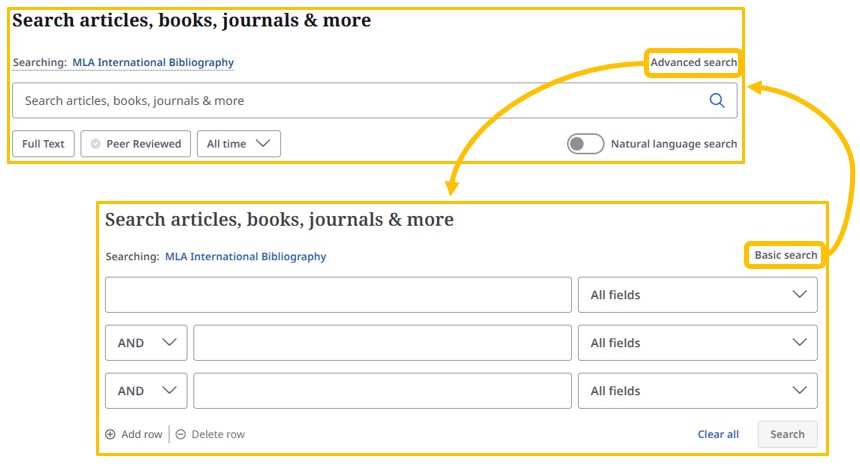
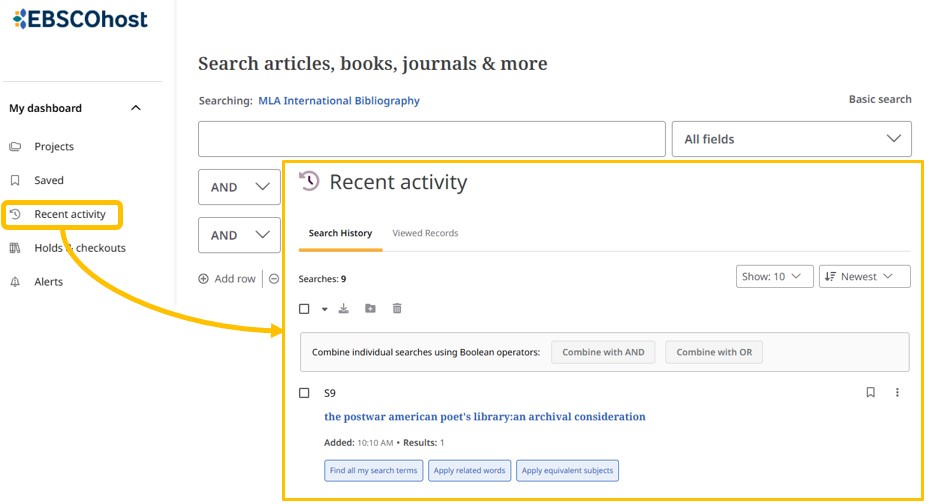
At the search bar, you can switch between “Basic Search” and “Advanced Search.” Below the search bar, there are “Publications” provides access to all available volumes and issues in the database, and “Subjects” allows you to browse a list of subject-specific thesaurus terms, authors, and works included in the database. Additionally, you can review your search records through “Recent Activity” on left sidebar of the page.

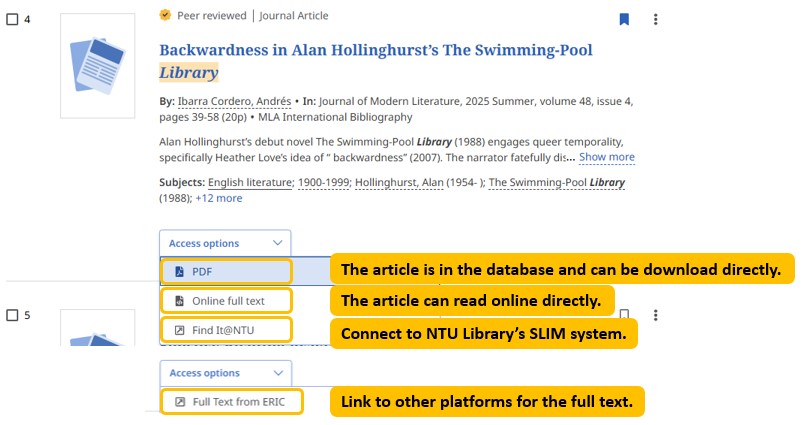
To get the full text of the searching result, please check every piece of bibliography data.
If there is “PDF”, you can download the PDF directly;
if there is “Online Full Text”, there will be usable text on this platform;
if there is “Find it@NTU”, the page will connect to SLIM of NTU library and see if there is paper copy or eBook;
if there is “Full Text from ________”, there will be usable text on another platform;
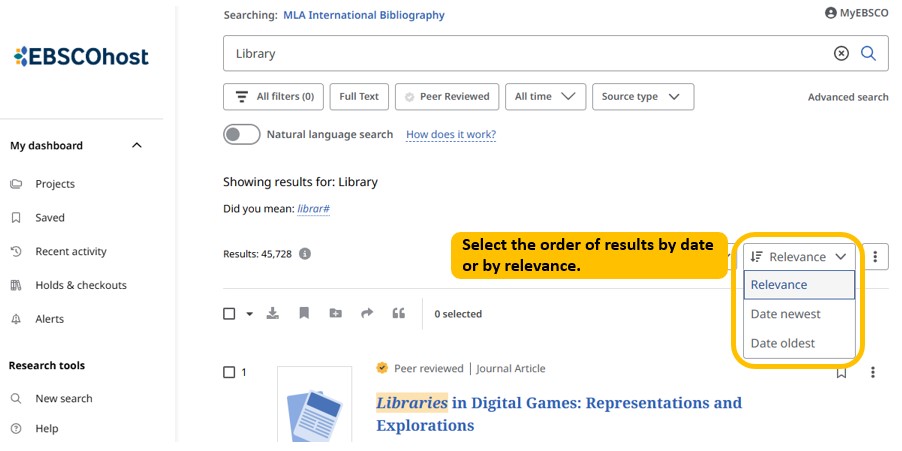
The searching results can be displayed in the order of date and relevance. Every result provides information such as title, author, journal title, era, volume, page, and the type of document.
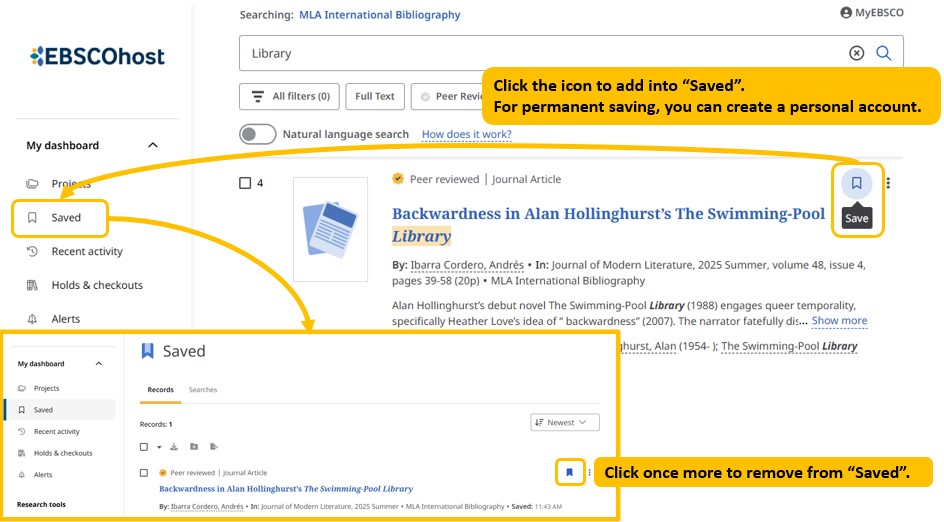
For saving results, save each bibliography data in “Saved”, and it will be saved temporarily. If you need to save the data permanently, create a personal account and save them in your personal folder on the website.
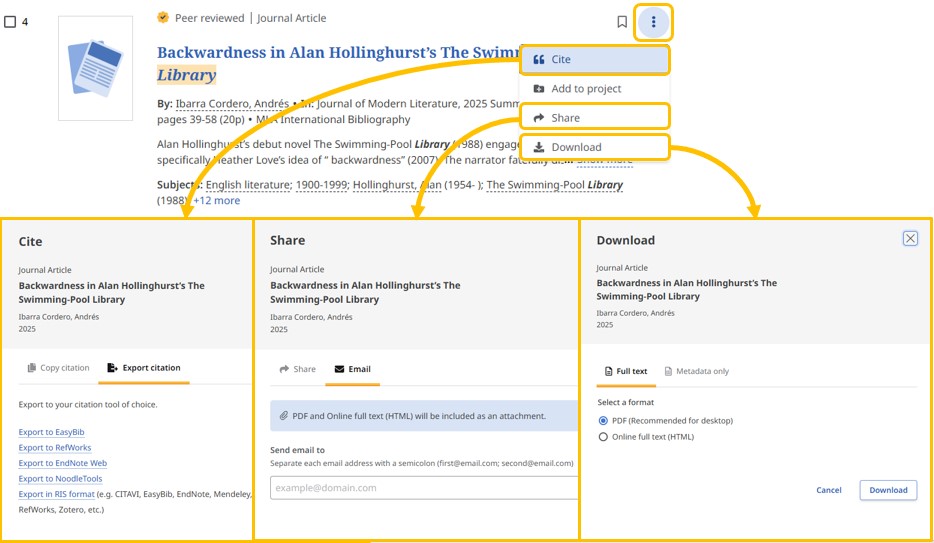
Besides, you can print out a copy, send it as an email to yourself, save as file, or export to bibliography management software (such as EndNote).
If you wish to use MLA International Bibliography at home, note that you have to set up an off campus VPN connection.
by Yu-Ting Huang