Tag: Insert Citation

EndNote無法在Word插入引用文獻: There are no references selected in the frontmost EndNote library
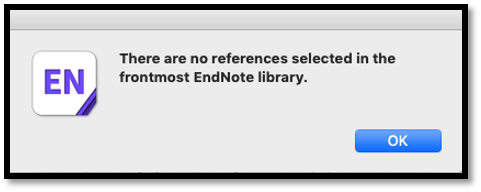
在Mac電腦使用EndNote軟體,點選「Insert Citation」想插入書目到 Word,卻跳出錯誤訊息「There are no references selected in the frontmost EndNote library」,然後在Word上也找不到「Insert Selected Citation」按鈕。無論從EndNote端還是Word端,都無法插入引用文獻,該如何解決?

Continue reading

EndNote 快捷鍵讓你引用文獻不手痠

繕打論文時,在 EndNote、Word 兩個程式視窗之間來回切換,覺得手指頭一直按滑鼠按到痠痛嗎?記住以下的鍵盤常用快捷鍵,解救你的滑鼠手和板機指!

Alt + 2 Insert selected citation into Word  (插入所選的引用文獻)
Alt + 7 Insert Citation  (在Word插入引用文獻)
Alt + 6 Edit Citation     (在Word編輯引用文獻)
Alt + 5 Edit Library References from Citation  (修改引用的原始書目)
Ctrl + Alt + A Attach a file to a reference   (在EndNote的某筆書目附加檔案)
Ctrl + G URL > Open URL    (在EndNote開啟書目的網址連結)

Continue reading

如何利用EndNote的CWYW工具列在Word中增加、刪除、修改書目?

安裝EndNote軟體後,會自動於 Microsoft Word 上方產生 Cite While You Write (簡稱 CWYW)工具列,所有EndNote 搭配 Word 撰文的功能都是透過此工具列來執行,可以在內文中插入引用文獻,並自動產生參考書目清單,亦可依據學科領域或期刊調整引文格式(Style)。以下將介紹如何運用EndNote工具列在Word插入引用文獻、刪除引用文獻、修改書目。


Continue reading
