
Introduction to SLIM: How to access journals?
Last Updated: 2026/10/13
In this article, we’ll show you how to search for journals using the Systems for Library Information Management (SLIM) access electronic articles, and locate physical print journals on the shelf.
We will guide you through the following common scenarios:
1.Check whether NTU Library holds a specific journal by title.
2. Access full-text electronic journals online.
3. Locate the printed journals on the shelf.
【中文說明請見此文章:SLIM雲端圖書館自動化系統介紹(7)如何查詢期刊】
[Scenario 1] Check whether NTU Library holds a specific journal by title.
If you already know the journal title and want to check if NTU Library has it in its collection, you can use two simple methods in SLIM.
Example: Searching for “Journal of Science.”
(1) Basic search: Enter the journal title or ISSN into the search box.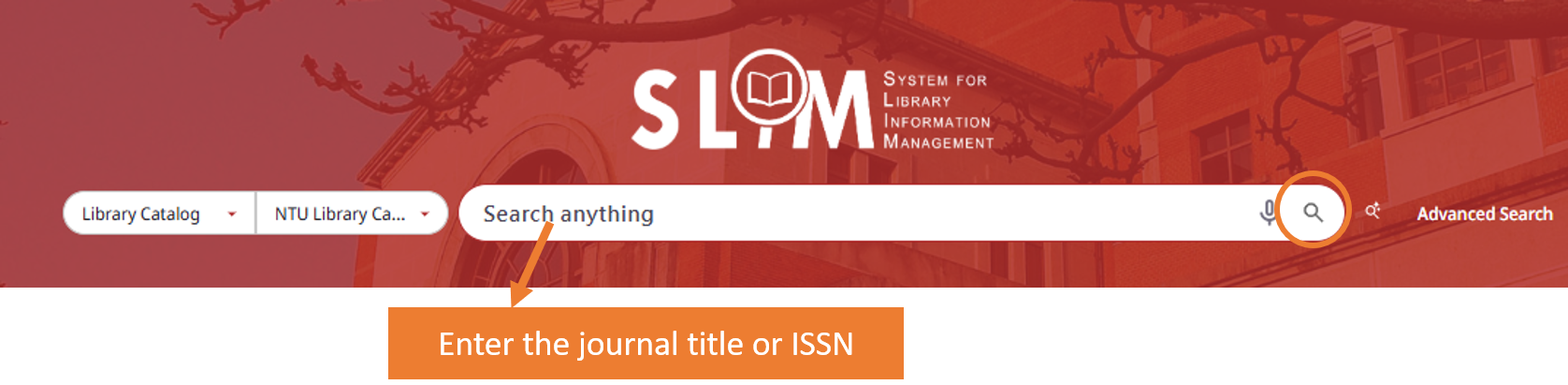
If the search results are many and hard to identify, use the filters to refine on the left-hand pane. Under Resource Type, select “Journals” and click “APPLY FILTERS.”

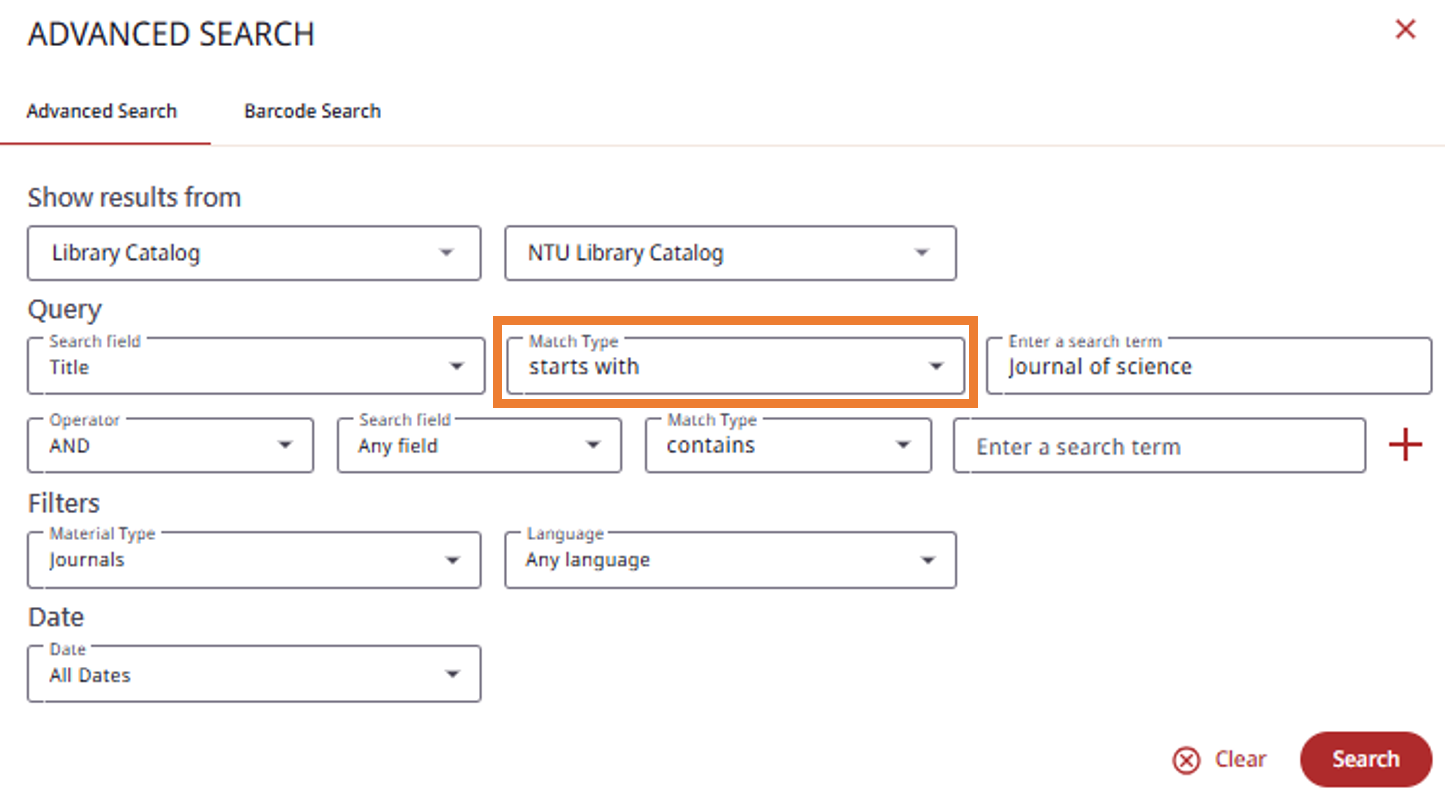
(2) Advanced Search: To get more precise results, use Advanced Search to specify fields and search conditions.
Set the search field to “Title” and limit the material type to “Journals.”
Adjust the “Match Type” depending on your needs:
- contains exact phrase: Treats the phrase as a single, unbroken string. For example, searching
"Journal of Science"will only find titles where those three words appear together in that exact order. 
- starts with: Matches titles that begin with your keywords. Note that searching
"Journal of Science"with this setting will exclude titles like “American Journal of Science.”

[Scenario 2] Access full-text electronic journals online.
Once you’ve confirmed that NTU Library owns the journal, the next step is accessing its content. To access an electronic journal, click “VIEW ONLINE” and select your preferred platform.
 Please note that different databases offer different coverage ranges and may impose a full-text delay (embargo) on current issues. Therefore, always verify the available date range before clicking into a database.
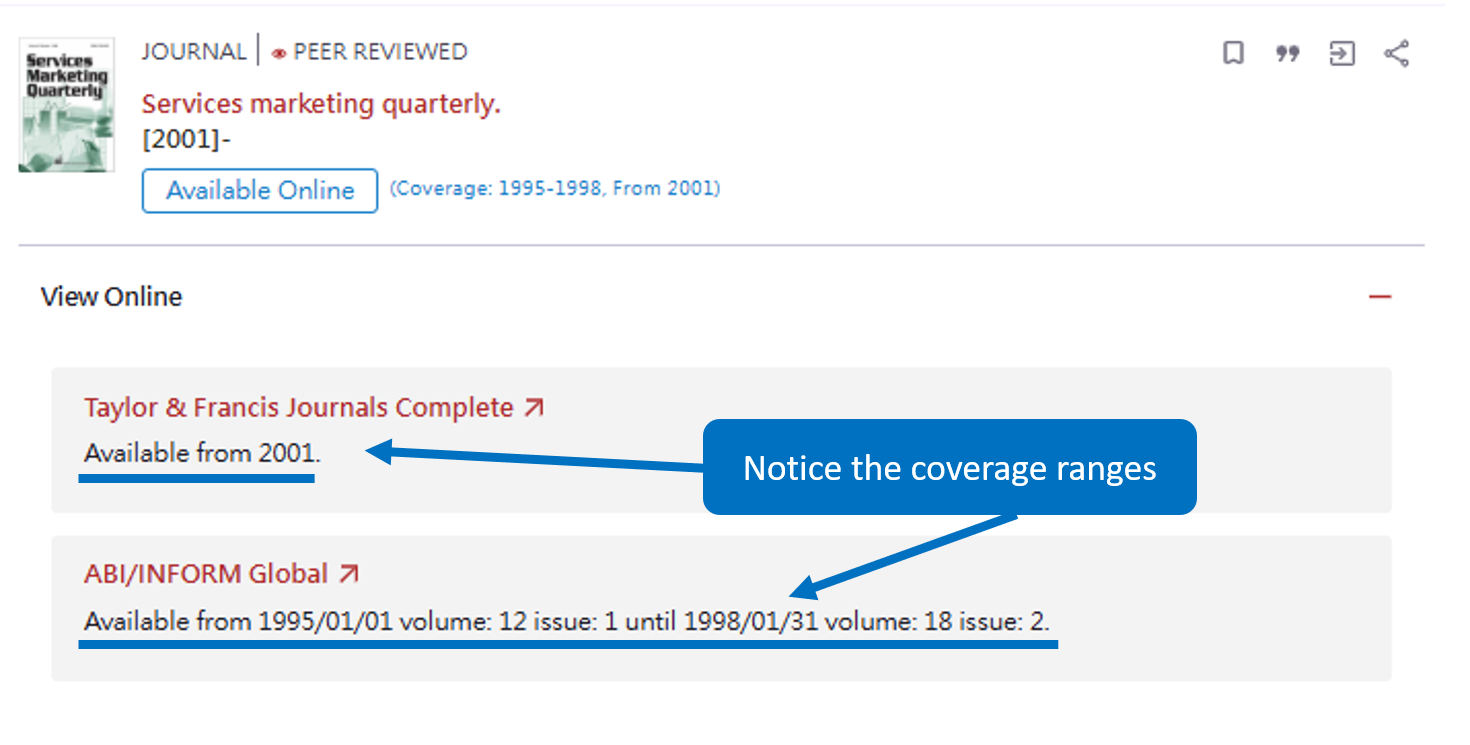
Example: Services marketing quarterly
As shown in the image, this journal is hosted on two different platforms. If you are looking for an article published in 1996, you should choose the second link, which covers that specific year.
Example: Sustainability accounting, management and policy journal.
This journal includes a note stating “Most recent 1 year(s) not available,” meaning there is a one-year embargo on full-text content. Even if the current issue was published this March, the latest issue accessible online will be from March of last year.

[Scenario 3] Locate the printed journals on the shelf.
If you are looking for physical print journals, check “Location” in the SLIM record to view the location details.
Print journals are divided into Current Issues (現刊) and Back Issues (過刊). Their physical locations in the library are listed under the “Note” section. Back issues are periodically collected and bound into a single volume by the NTU Library. You can easily check the holdings list to see which volumes are available on the shelf.
Example: Journal of world history
-
Back Issues: NTU Library has collected the “Journal of World History” since 1993. Bound back issues are located in the “3F Bound Periodicals Area.“

- Current Issues: As shown in the figure, individual issues published in 2025 can be found in the “3F Current Periodicals Area.”
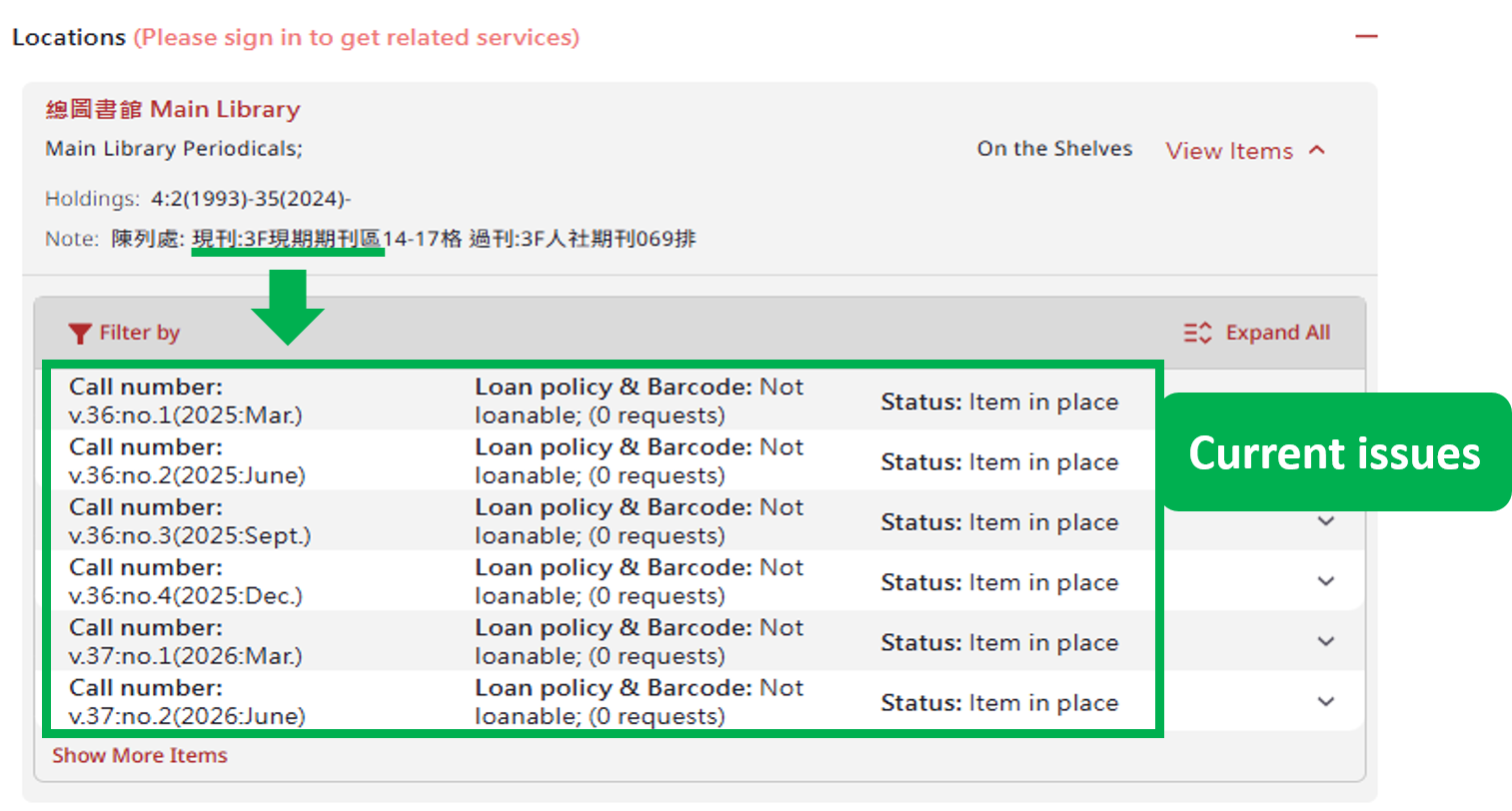
Status Note: If an issue’s status displays “Item in bind”, it is temporarily unavailable while being processed for binding. Once completed, it will be moved to the bound periodicals section.
If the specific volume or issue you need is not available in NTU Library’s collection, you can request the article through the “Interlibrary Loan Service.”
📖Further Reading
–
Written by Hugo Kam, Intern from The University of Hong Kong.
特別感謝香港大學資訊管理系實習生甘進昇同學撰稿
Updated by:
Chih-Lo Chen 2022/7/12, 2023/5/10
Mei-Mei Chang & Yeh Shih-Yuan 2026/10/13(This text was refined with editing assistance from Google Gemini.)