
Getting Started with National Taiwan University Library
Last Updated: 2026/10/9
Welcome to National Taiwan University Library, NTUL(國立臺灣大學圖書館)!
If you have questions about NTUL’s resources, this article guide you through using the NTUL online catalog. Let’s explore how quick and easy searching for books or articles can be!【中文說明請見此文章:新生第一站】

To begin with, you can search library resources using NTU’s online catalog, SLIM (System for Library Information Management). “SLIM” provides access to bibliographic records for books, journals, magazines, newspapers, doctoral dissertations, master theses and audio-visual materials, etc.
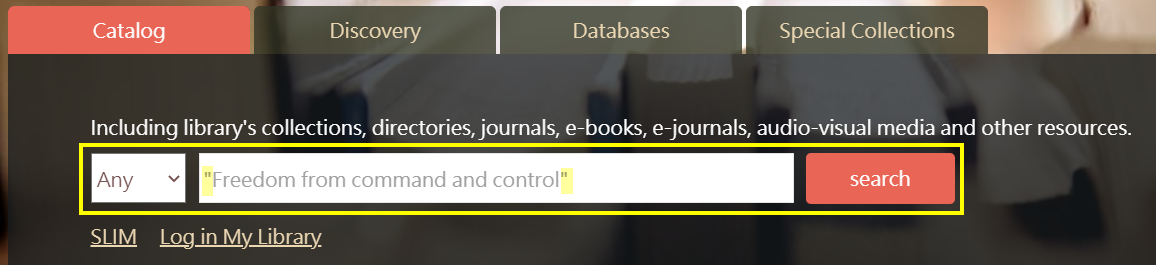
Click the “Catalog” tab on the Library’s Homepage and enter keywords into the search box to find what you need.
In the following section, several scenarios are presented to demonstrate common search requirements and steps.
- Find an item using keyword search
- Find an item when you have an incomplete citation
- Locate physical items in the library
- Accessing electronic resources
- Find a specific journal or magazine
- Find a specific article from a journal or magazine
- Search for topics when writing reports or papers
- What to do if no results are found
- Use reference management software to organize references
1. Find an item using keyword search
Keyword searching is the easiest way to start. Suppose you want to find a book recommended in your course syllabus:

By using the search box on the Library’s Homepage and entering the book title ‘Freedom from Command and Control’, you will see its bibliographic record as shown below:”

 Search Tip: Use quotation marks ” “ to search for an exact phrase (e.g., “game theory”)
2. Find an item when you have an incomplete citation
Sometimes, we might not recall a book’s full title. For example, you might only know that Terry L. Martin wrote the book and that ‘gender stereotypes’ is the keyword in mind. In cases like this, you can combine ‘Author’ and ‘Title’ search terms simultaneously using Advanced Search. Advanced Search provides much more powerful search capabilities.
The library catalog offers a variety of fields and filters for precise searching. We highly recommend using Advanced Search because it provides multiple options to refine your results, such as filtering by material type, language, and publication date:


To search for this item, type ‘Martin, Terry L.’ into the Author field and ‘gender stereotypes’ into the Title field. The search results will appear as shown below:


📖For more details on searching and retrieving information, please refer to “Guide for NTU Library SLIM system“.
3. Locate physical items in the library
Once you find your required book in SLIM, check the following details to see if it is available and how to locate it:

(1) Status: The availability of the item. “Available” means the item is on the shelf, while “Not available” means it is currently checked out or temporarily missing.
(2) Location: The physical location of the item. There are various library locations on the NTU campus, e.g. the Main Library, Social Sciences Library (Koo Chen-Fu Memorial Library), ASRS Service Center, Medical Library, and departmental libraries.
(3) Call number: It’s like the book’s address on the library’s shelves or stacks, tells you which shelf the book is on. You may find the book more precisely according to the call number. Use the call number along with the floor layout to pinpoint the exact location.
(4) Loan Policy: Shows whether the item can be checked out. Loanable items can be borrowed using your NTU ID card. For more details on borrowing limits, loan periods, online requests, and renewals, please refer to “Borrowing privileges in NTUL”
4. Accessing electronic resources
For e-books or electronic journals, simply click the provided hyperlink from the item page to access the full-text database.
Note: If you are accessing these resources off-campus, make sure to set up the NTU VPN.

Attention! Usage policies for e-books vary by publisher. You may encounter restrictions on downloading or printing, or you may be required to create an personal account or install additional software.Detailed instructions can be found on the ” “Ebook database” webpage.If you run into any issues while using e-books, you can also check the specific database’s Support Center or FAQ page for assistance.
5. Find a particular journal or magazine
To find a specific journal accurately, go to “Advanced search”, enter your search terms under “Title” and filter Material Type by “Journals.“

If a journal is available in both print and digital formats, the results will display them separately:
(1) Electronic Journals
Note that different databases cover different year ranges and may impose an embargo (full-text delay) for recent issues. As the figure shows, there are two database sources available for the “Journal of world history.” If you need the article published in 1999, select the second link. If a database notes “Most recent 1 year not available”, it means full-text access is delayed by one year. Even if a new issue comes out this March, the latest issue accessible online would be from March of last year.

(2) Printed journals
Items are categorized into Current Issues (現刊) and Back Issues (過刊). Back issues are typically bound by the NTU Library into single volumes. Their physical locations are specified in the “Note” section of the record. Check the records to verify which volumes are available on the shelf.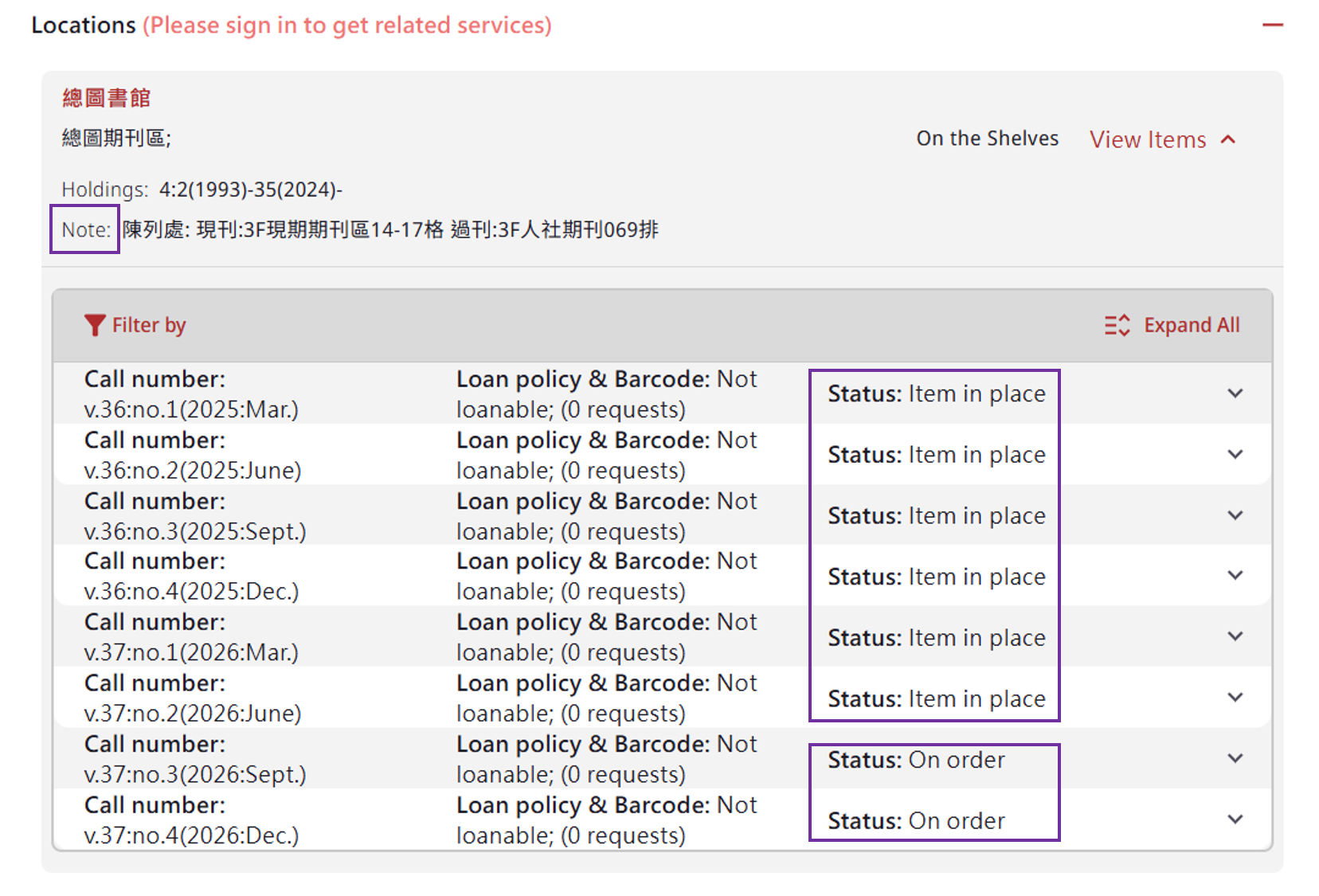
📖 Further readings: Introduction to SLIM: How to access journals; Journal Search & Database Search
6. Find a specific article from a particular serial or magazine
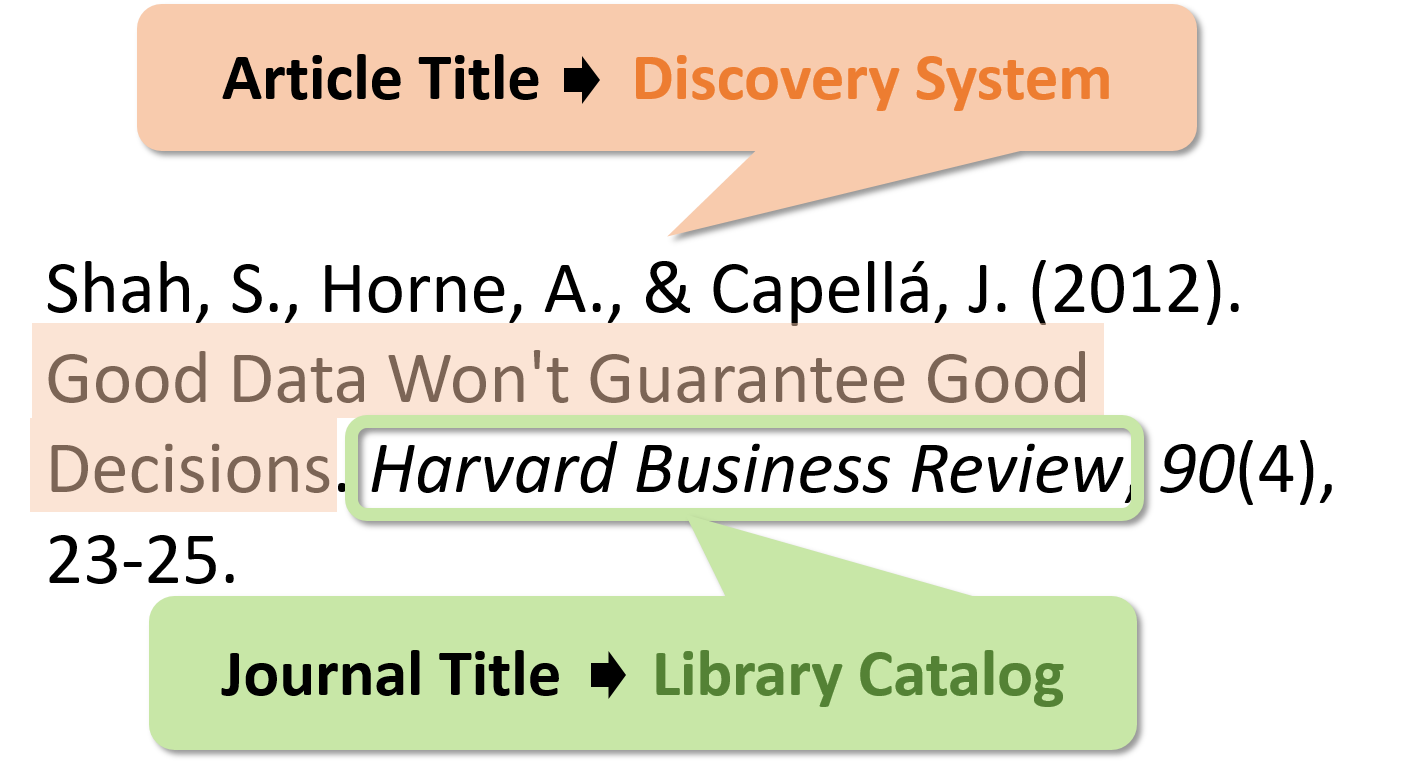
When looking for a specific journal article with a given citation, there are two ways to find your required article: you can search either by (1) article title or (2) journal title.
(1) Use the Article Title to search directly within a Discovery System to locate the specific article.
(2) Use the Journal Title to search the Library Catalog to locate the physical/electronic copies of that publication.
7. Search for a specific topics when writing reports or papers
To find resources tailored to your specific research topic, you can search either the library catalog or individual academic databases. NTU Library subscribes to a wide range of databases, covering both general topics and specialized fields. These databases store vast collections of digital articles categorized by academic discipline or material type. Using a database is very similar to searching the online library catalog—you simply enter keywords to find relevant information.
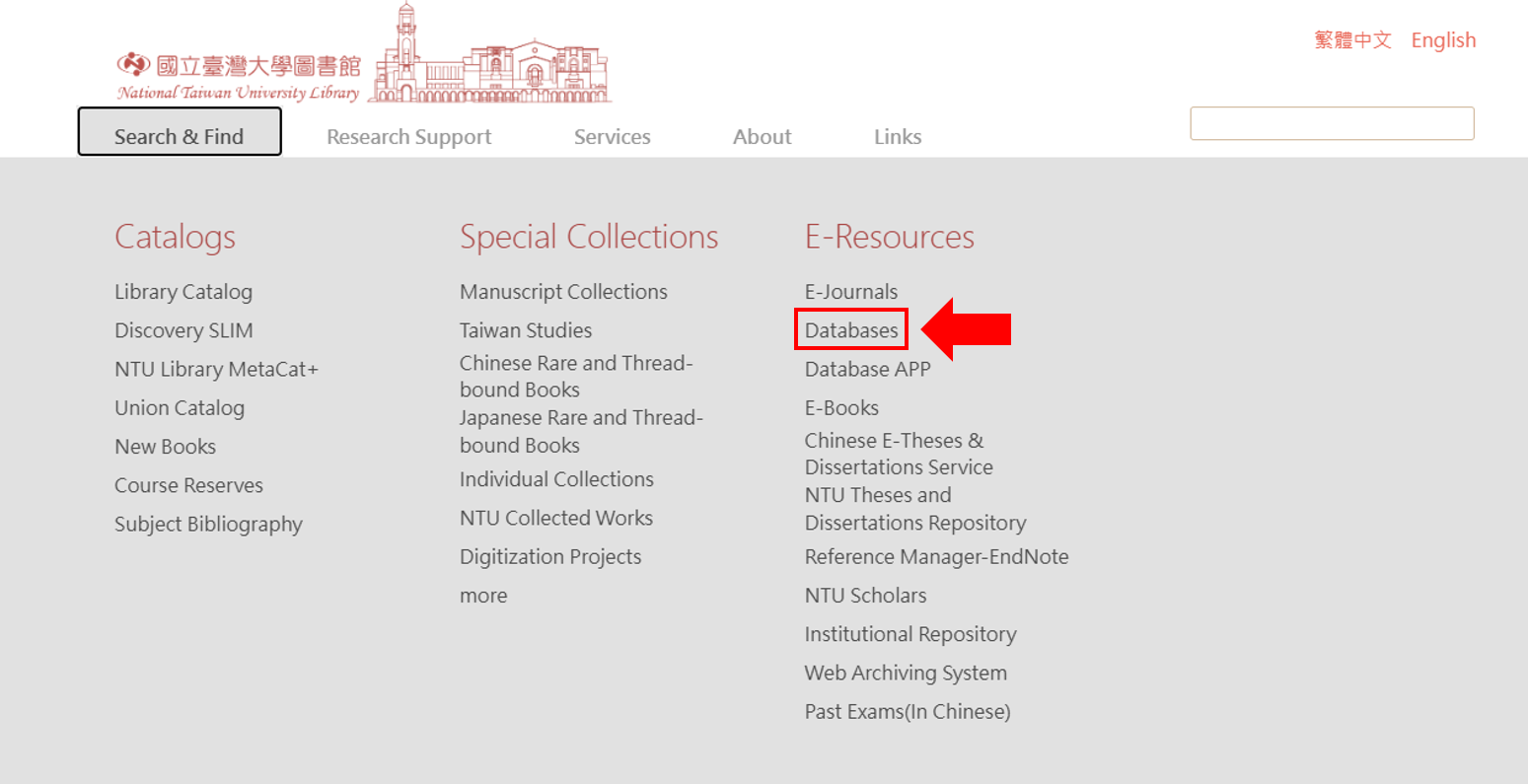
You can access the Databases page directly from the NTU Library homepage.
To find a database suitable for your needs, you can search or filter by subject, title, and content type.

📖Further readings: “Getting Started with Database”.
8. What to do if no results are found
If NTUL does not own the item you need, here are two available options:
(1) Recommend a purchase: All current students, faculty, and staff members are welcome to suggest new acquisitions via the “NTU Library Book Recommendation System”.
(2) Interlibrary loan services / Document delivery services: You can request to borrow physical items from other partner libraries or obtain copies of specific journal articles. For detailed instructions, please refer to “Interlibrary Loan Services or Document Delivery Services”.
9. Use Reference management software to organize references
Reference management software allows you to build a personal library of research references. These tools help you systematically organize your sources, attach PDFs, and automatically generate citations and bibliographies in your papers (such as APA, MLA, or Chicago styles).
There are several popular reference management tools available, such as EndNote, Zotero, and Mendeley.
📖For more details, please refer to:
- Zotero Official Website: https://www.zotero.org/support/
- Mendeley Official Website: https://www.mendeley.com/guides
- QuickStart Guide for Endnote: https://tul.blog.ntu.edu.tw/archives/23331
–
📖For more SLIM features, please refer to “Guide for NTU Library SLIM system”.
 If you have other in-depth questions, please e-mail to tul@ntu.edu.tw .
–
Written by YoYo Cheung, Intern from The University of Hong Kong.
特別感謝香港大學資訊管理系實習生張楚瑤同學翻譯及撰寫此篇英文文章!(2014/7/14)
Updated by:
Chih-Lo Chen, Yu-Hung Kao 2017/1/9, 2021/3/30, 2021/8/18, 2023/2/4
Mei-Mei Chang & Yeh Shih-Yuan 2026/10/8(This text was refined with editing assistance from Google Gemini.)