
Introduction to SLIM: How to request the books online?
Last updated on September 14, 2026
If the item is “On loan”, “On hold shelf”, “In transit”, “In process of cataloging” or “On order”, you can request it on SLIM system. 【中文說明請見此文章:SLIM雲端圖書館自動化系統介紹(4)預約】
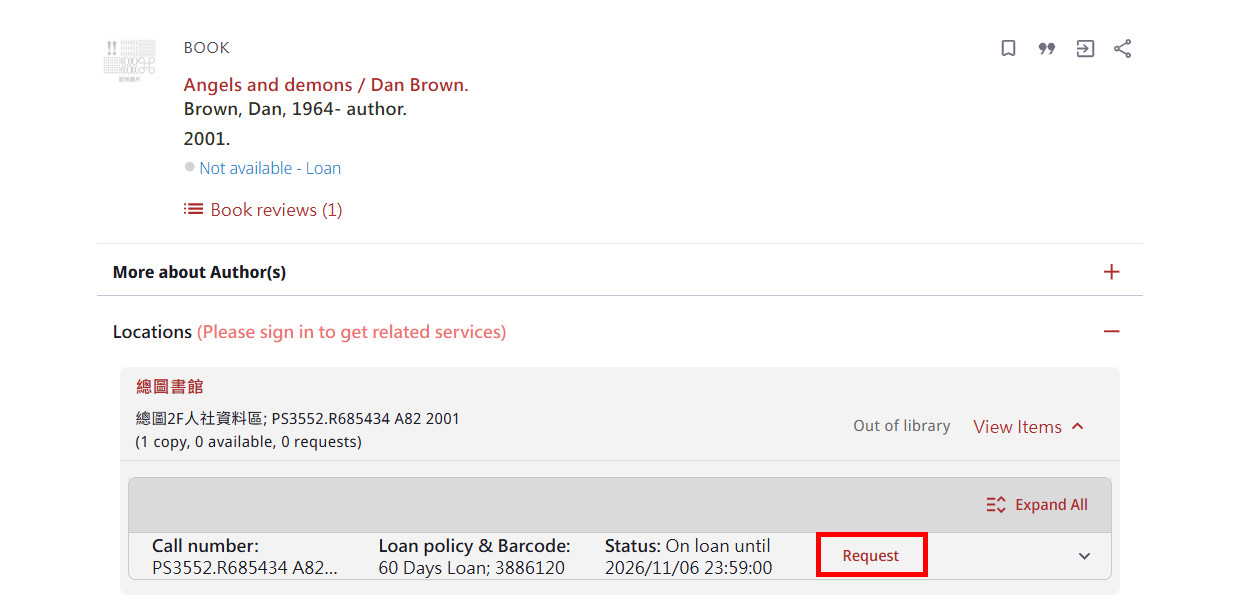
For example, this book is checked out, and the status is “on loan”. So, you can request it. Before requesting books, you have to login in SLIM system.

For NTU faculty, student, login in with their NTU Email account.

After you sign in, you can click the “Request” button.
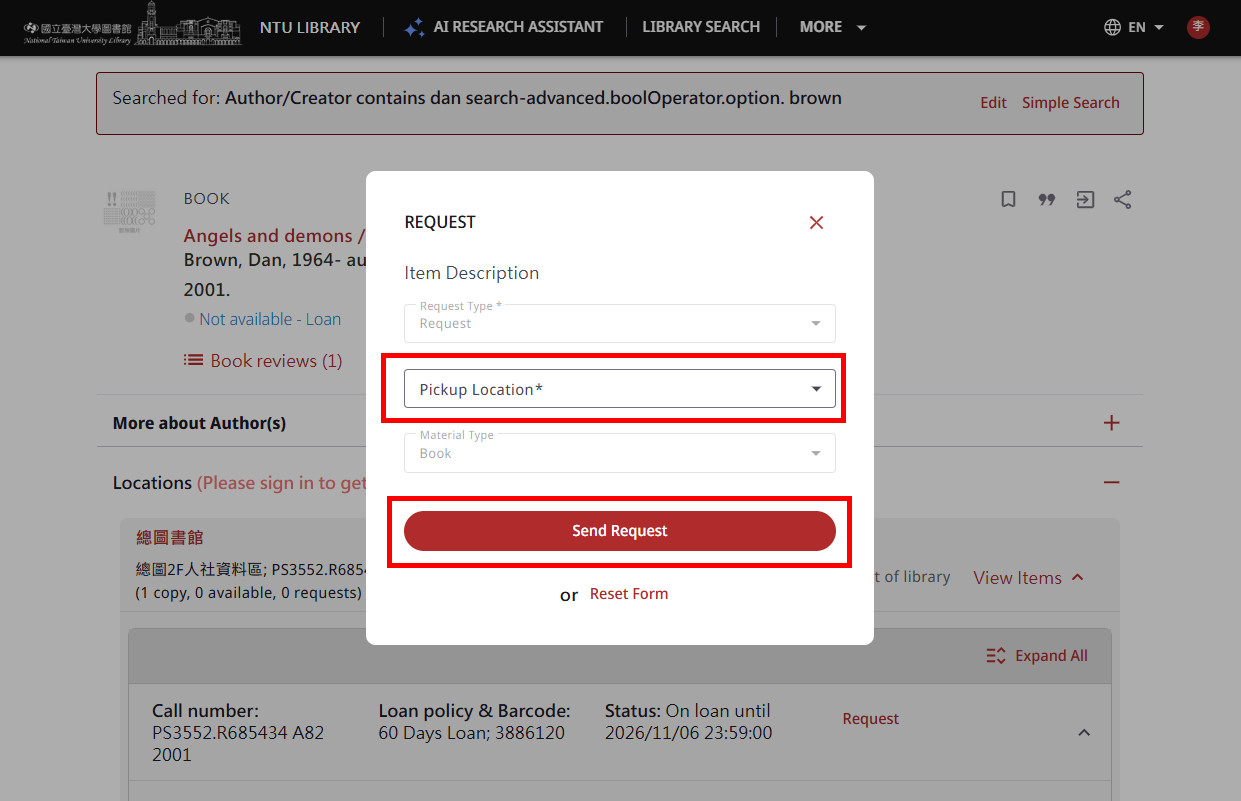
Choose preferred pickup location, such as Main Library, Law Library. Then, click “Send Request” to submit.
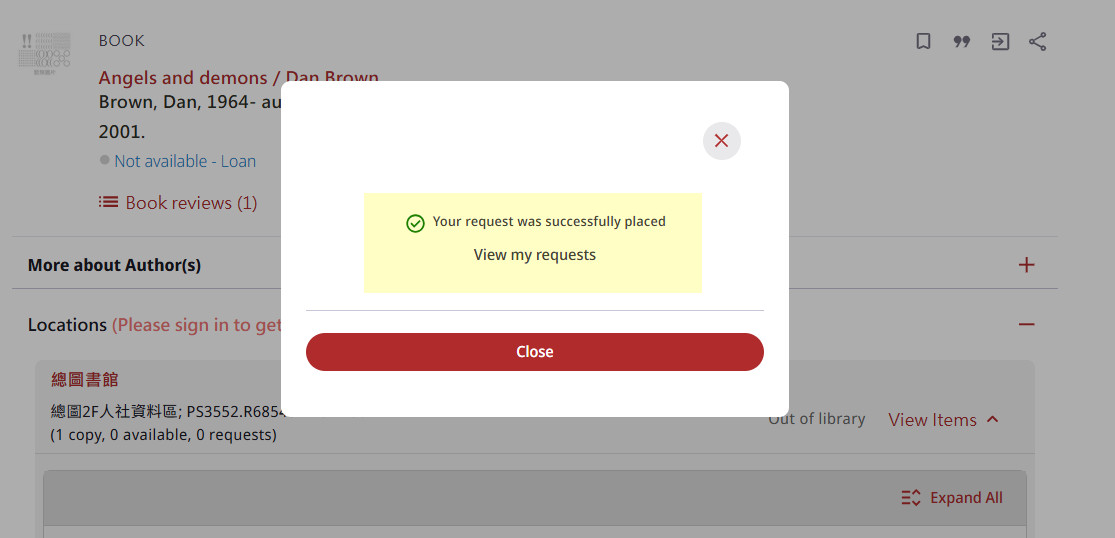
A confirmation message “Request placed” is shown if the request is successful.
You can “login in My Library” to check the books you have been checked out or requested.

After login in, please click the “My Circulation Record” button.

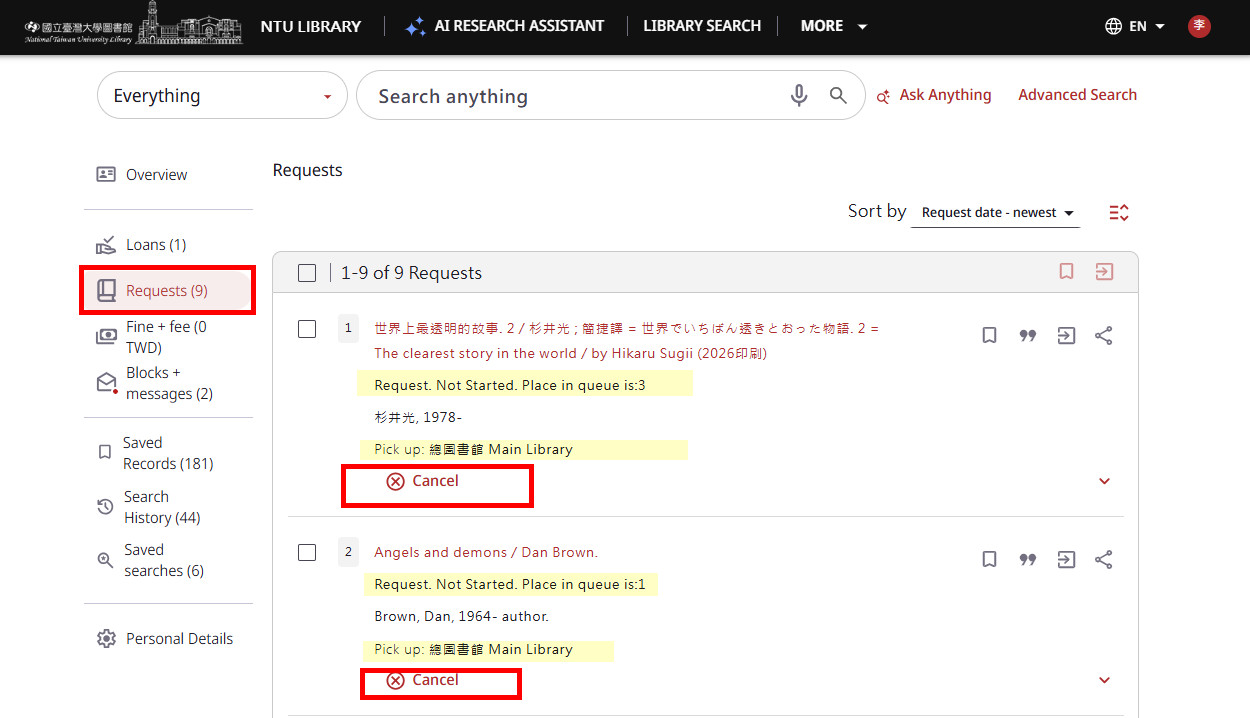
On the left side fields, you can click the “Requests” button to see the books you have been requested. If you no longer need the book, you can cancel the request.
When the requested item is available for pick-up, the library will send a circulation pick-up email notice to remind you. All requested item returned will be on hold shelf for 5 working days. If the requester does not pick up the book during the period, the item will be moved to next requester in line or back to library stack. For more information, please refer to the “Circulation Services” webpage.
Further Reading: Guide for NTU Library SLIM system
by Chih-Lo Chen
Updated by Ming-Ching Lee 2026/9/14