
將月旦法學知識庫資料庫的書目匯入EndNote (2)Year欄位批次修改
延續〈將月旦法學知識庫的書目匯入EndNote (1)期刊文章〉的最後一個步驟,將書目匯入EndNote之後,Year欄位為空白,需將Date欄位的前4碼數字複製到Year欄位,如果筆數較少,您可以逐一手動貼上;如果書目筆數較多,可利用 Tools的「Change/Copy/Move Fields」功能批次處理。
繼續閱讀延續〈將月旦法學知識庫的書目匯入EndNote (1)期刊文章〉的最後一個步驟,將書目匯入EndNote之後,Year欄位為空白,需將Date欄位的前4碼數字複製到Year欄位,如果筆數較少,您可以逐一手動貼上;如果書目筆數較多,可利用 Tools的「Change/Copy/Move Fields」功能批次處理。
繼續閱讀開啟Word的EndNote工具列,如果卡在「EndNote Online Login」畫面,按了數次「Cancel」無法取消而反覆出現(如圖1),或者卡在「Finding the EndNote home page」的畫面(如圖2),或者跳出「Cite While You Write could not connect to the EndNote Server. Please verify your e-mail address and password are correct and then try again」的提示視窗(如圖3),代表Word的CWYW工具列沒有連到本機的EndNote程式,而是串聯到線上版的EndNote Online。

圖1
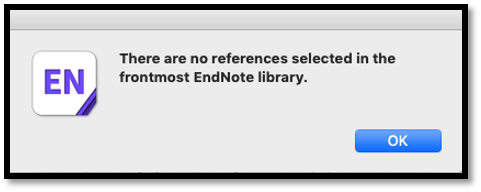
在Mac電腦使用EndNote軟體,點選「Insert Citation」想插入書目到 Word,卻跳出錯誤訊息「There are no references selected in the frontmost EndNote library」,然後在Word上也找不到「Insert Selected Citation」按鈕。無論從EndNote端還是Word端,都無法插入引用文獻,該如何解決?
繼續閱讀本文最近更新日期:2020年8月20日
因應Mac OS 10.15.x (OS Catalina)作業系統更新,不再支援所有32位元應用軟體,書目管理軟體EndNote官方已釋出X9.3.1 for Macintosh。
繼續閱讀近日接到讀者詢問:如何用 Endnote 刪除 Word 引文與參考書目中,作者姓名裡的連字符號(-)?例如將 Chen, Kuang–Hua,改成 Chen, Kuang Hua。
繼續閱讀若您的EndNote為X7版本,並有使用EndNote web同步功能,卻在打開library時出現「空間不足,web 2GB空間已被用完」的訊息,可能的錯誤訊息內容如下:
繼續閱讀